Warning! Your devicePixelRatio is not 1 and you have JavaScript disabled!
(Or if this message is not in a red box, your browser doesn't even support basic CSS and you can probably safely ignore this warning.
You'll encounter way more suboptimal things in that case…)
Since HTML is as braindead as it can get, pixel graphics might look off without javashit workarounds.
Try to get a non-HiDPI screen or enable javashit for best results.
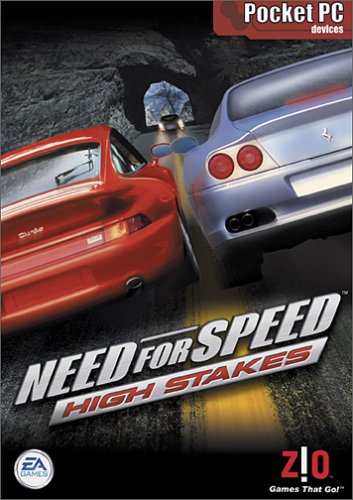
Need for Speed 4: High Stakes for Pocket PC
Created: 1766518239 (2025-12-23T19:30:39Z), 3349 words, ~14 minutes
Tags: review, western, ea, nfs, racing
This post is part of series nfs: 1, 2, 3:HP (W, PS), 4:HS (W, PS, CE), 5:PU (W, PS, GBA), MCO, 6:HP2
Trying NFS1 in 2024 for the first time might be crazy, trying the PS1 versions of NFS3/
Technical shit#
I feel like this will be the biggest part of this post...
Searching the internet doesn't give you a lot of info about this game.
The Wikipedia article of this game doesn't mention the existence of this version.
NFS Wikia doesn't mention it either.
Speedrun.
Yeah, easier said than done when we're talking about obscurish 20 years old technology.
Emulation General Wiki has a bare-bones page about Windows CE.
Spoiler alert: none of those emulators worked for me.
Some didn't even install in wine, some lacked the cab installer from the Windows CE image (thanks?), some installed the game, but on start it instantly crashed...
After some searching I came across the CE Collections project, which collected a lot of Windows CE emulators.
Here I finally found a working emulator!
The problem is, they only use git to store the source of the few helper applications they wrote, all the emulators and disk images are only available under releases, where you can download (as of version 2.WNT/DeviceEmulator.exe and ARMV4/510PPC.BIN, weighting around 21.
So finally I have a working emulator, I install the cab, I try to play it, and this is what I get:
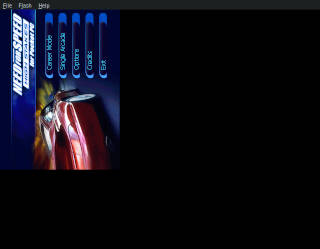
Um, thanks? Well, the thing is, early Pocket PC versions didn't really have a concept of rotating the device (somewhere I read later versions had, but this game was definitely made before it). Some fullscreen apps, like some games or navigation apps could be used in landscape mode, but that was solved by the apps drawing things 90 degrees rotated. Hence the result above.
Previously I mentioned there are two cabs in the archive.GX.DLL, I think it was supposed to upscale the QVGA game to VGA, but it didn't work.
I'm not sure if this is a limitation of the emulator or the package is just plain broken, but I have other ways to upscale the image, and I need them as even 640x480 is too small these days.
Fixing the rotation problem is also more complicated than it should be. You can set rotation in the emulator's settings—except it throws some internal error when you try to open it in wine, and you get a half-populated settings screen where nothing does anything. Fortunately most of the settings can be set from the command line, but trying to rotate the emulator results in this:
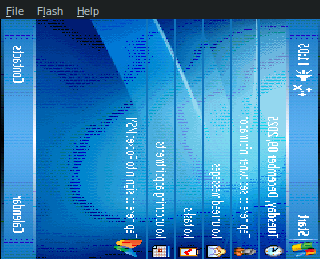
The drawn image is distorted, mouse clicks are not rotated, so even getting to just launching NFS in a hassle, and if you do it, the emulator just resets to the normal non-rotated mode.
Thanks Microsoft (or wine or whatever).
So what now?
Somewhat randomly I fired up a Xephyr, and in a terminal I typed xrandr --output default --rotate left and... wait a minute, it actually worked?
Then I tried it with my Xephyr fork, of course it crashed.
But after I fixed the problem in my patch, I could finally try this game!
So what do you need to run this fine game?
wine path_to/DeviceEmulator.exe path_to/510PPC.BIN /memsize 256 /sharedfolder path_to_extracted_cabs /defaultsave
Let's unpack this shit.
First, you need to give the image of the device to emulate, 510PPC.BIN in our case.
(You can try other images from the ISO, I tried a few random images, they seemed to work as long as you stick to the images ending in PC.
SP, short for Smart Phone, means no touch input.
Yeah, this was made in a time when mobile phones didn't have touch screens...)
/memsize 256 is just some value I've seen in some other people's code, probably overkill, but I didn't bother too much about it, 256 MiB RAM is nothing these days.
/sharedfolder lets you specify a folder to be used as SD card, this is probably the only sane way of sharing files between the emulated device and the outside world.
/defaultsave is weird, it allows you to save the emulator's state somewhere under your wine's windows user's dir.
Now, according to the emulator help, there's a /s switch too, which "Specifies the save-state filename."
Using this option enables you to save the emulator state under the specified file name, but there doesn't seem to be any way to load it back!
And you need save state, because by default everything you do inside the emulator is ephemeral, every changed setting and file and installed application is lost if you close the emulator otherwise.
There's a /flash option which enables you to save the device's flash memory to a file, but just like with /s, I couldn't find a way to load it...
So long story short, after starting the emulator using the above command line, wait until this Windows-lite abomination boots, Start -> Programs -> File Explorer, open the My Documents dropdown and select Storage Card, and navigate to your downloaded CAB.
As I noted earlier there's no apparent difference between the two versions in the emulator, I went with the QVGA version as at least it installs a menu entry for the game.
So click on the CAB and install it on the Device.
You can in theory install it on the Storage Card too, but this resulted in random errors for me.
After done, ok it (in the upper right corner, if you haven't used Pocket PC before), then you can go back to Programs -> Games.
Now I recommend you to close the emulator at this point to save its state, saving while the game in running resulted in no audio for me.
Besides, you need xrandr to rotate the screen in the correct orientation:
xrandr --output default --rotate right
Right, not left rotation you need. If you do this, you can enjoy the intro "video", which is honestly just a still picture with some effect applied on it.

It's about 1.
(Note also how it says NFS Beta.
Apparently the version uploaded to archive.
The game#
This is going to be shorter than usual.
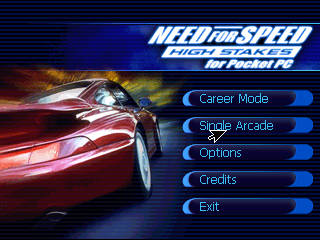
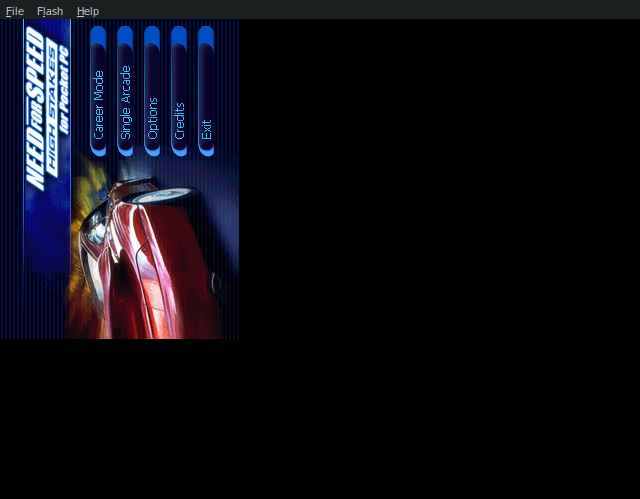
As you can see in the main menu this game has both Career Mode and Single Arcade mode, like the Windows version of the game, but I only tried the latter.
Both modes require creating a user profile and you can't even cancel the menu, like in Windows NFS5.
Arcade has three modes, Single Race, Knock Out, and Tournament, even though I only tried one mode here too (single race).
You can select from mostly the same cars as the Windows version, but no tuning or color change or anything.
Back to NFS1!
(Actually worse, if you try to disable music, the game crashes, and there's no volume slider or car showcase.)
On the tracks front, you can select from a subset of the PS version: Dolphin-Cove, Snowy-Ridge, Kindiak-Park, Route-Adonf, Celtic-Ruins.
Spaces have been replaced by hyphens in track names.
Dolphin-Cove has route adonf's (for some reason in lowercase letters) minimap in the menu.
And while the minimaps in the main menu were taken from the Windows version of the game, I didn't find any similarity between this Pocket PC edition's and the Windows/
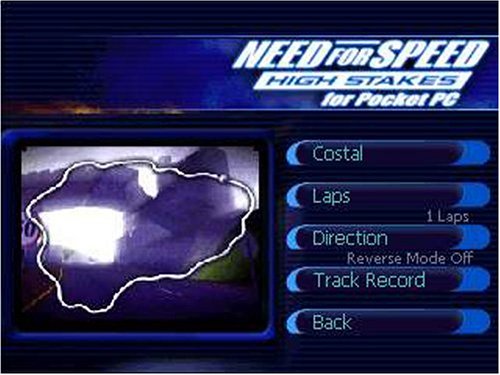
Also, do you notice anything unusual in the following screenshot, on the archive.
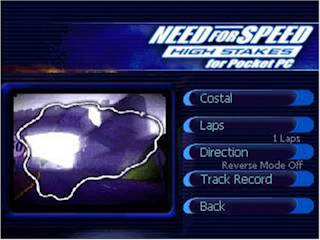
Track name is "Costal". I suppose it's a typo of Coastal, a track from NFS1! All while displaying the mini-map of Celtic Ruins.
And while I didn't do videos like this before, here's a short video of me messing around in the menus. Why? Because the actual gameplay section will be pretty short.
(Before you ask, the cursor looks normal if you play in Xephyr. If you rotate a screen in normal X, it will probably look like in the video. The reason it looks like is because I recorded the video from inside Xephyr (so I get the unscaled version), but in this case I had to rotate the captured video in obs, and it also rotated the cursor...)
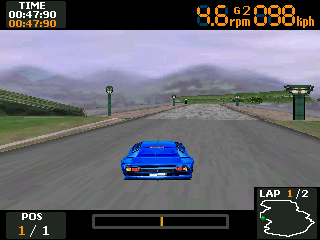
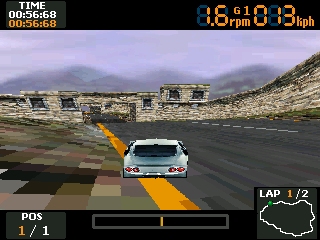
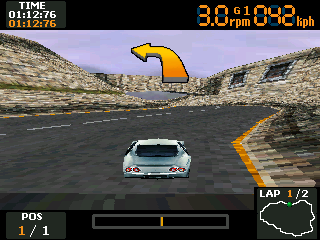
So, what about the races? The controls are weird. First, you can open the pause menu with F1. To accelerate press the left arrow, to break the right. At first I didn't understand the logic behind this weird setup, but when I went to settings and flipped the orientation of the screen, the controls also flipped! Makes sense, if you rotate the PDA, the D-pad also rotates...
Next question is, how do you steer?
Well, by pushing your stylus on the screen and dragging it left/
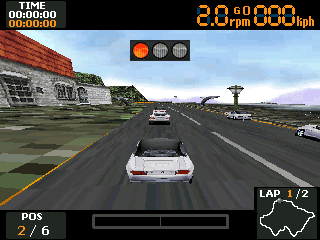
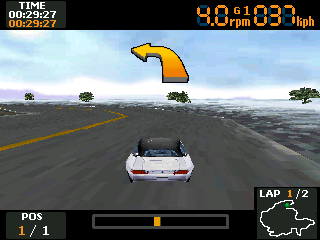
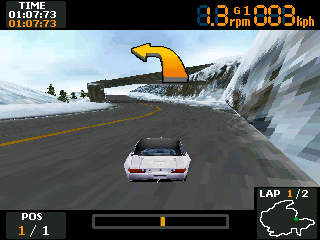
It's basically unplayable. The steering is way too sensitive, even though I was playing with 6X zoom (which means smaller mouse movements) and I barely moved the mouse most of the time. And the "walls" are unforgiving, it's like they're coated in super glue, as soon as you hit one, it takes a lot of work to escape them. I wrote walls in quotes, because as you can see from the video, "invisible walls all over the place" from NFS1 are back! And look at how the opponents take off at the start, it's like racing with a bicycle against a sports car. If you want to know why I didn't try the other modes, here's the answer.
First I thought this is just the usual insane eastern difficulty, or the beta version is fucked up somehow.
But then I looked at the above video.
The race starts at around 0:06, ends at 3:33, and the in game clock says 4:29.
Every track has its own music, like in NFS2/
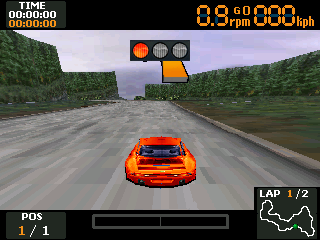
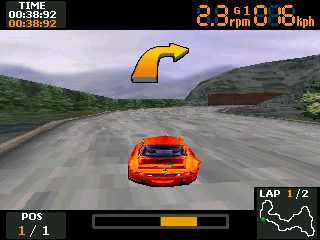
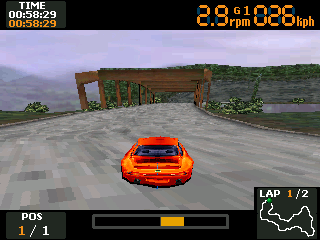
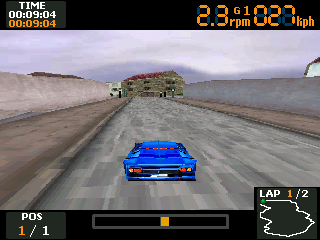
Technical shit, take two#
I honestly wanted to just throw the game away, but my last observation about emulation speed kept bugging me.
Maybe if I can slow down the emulation, it will work better?
My first attempt was to use cpulimit (which actually comes from LimitCPU these days), but it didn't help much.
All it does is sending SIGSTOP and SIGCONT to the process continuously to limit the CPU usage, by default with a period of 0.cpulimit also stopped limiting the CPU.
From a quick look at the code it uses nanosleep, which means it is restricted by the precision of kernel's task scheduler and such doesn't work well for small sleeps.
My second idea was to try to limit the frequency of my CPU.
Easier said than done on today's CPUs.
I have Ryzen CPUs in my newer machines, they use the amd-pstate-epp driver, which in a nutshell means Linux just lets the CPU's firmware do whatever the fuck it wants with the frequency.
You have the usual cpufreq hierarchy under /sys/devices/system/cpu/cpufreq/policy*, but all you can really set here is an energy_performance_preference value, which is a 4 valued bullshit control for retards (performance, balance_performance, balance_power or power), everything else here is read only or simply ignored if you set it.
Common advice around the internet (for example here) is to disable the AMD P-State driver completely using the amd_pstate=disable kernel command line parameter, to fall back to ACPI methods, but it caused me to be only be able to select between 3 different frequencies.
And of course you need to reboot your computer to get into//sys/devices/system/cpu/amd_pstate/status file.
If it says active (which I think is the default for newish kernels), it means EPP controls your CPU's frequency, and you can't do much about it.
You should change it to passive (or maybe guided, but I tested it with passive) to give the control back to the kernel.
Well, somewhat.
In this case it's still the CPU's firmware which controls the frequency, but the kernel can provide it with a desired frequency (in reality a performance value, which is more-or-less a scaled version of frequency), and the CPU will try to stay close to it.
And fail miserably.
Here's what I did: picked a random core X (don't pick core 0, on Linux interrupts can only be service by the first core), set it to the minimal frequency my CPU supported (550 MHz in my case), pinned the Pocket PC emulator to core X and ran the game.
It immediately jumped to about 1.
My next idea was to use QEMU, especially since I read it has an -icount option combined with align=on can slow down the emulation, exactly what I need!
Unfortunately it only works with the system emulator, so I had to get a Windows VM inside QEMU.
I'll spare you the details (I used an old WinXP image I had lying around from Neptools CI, but OpenSSH 10 dropped DSA support, so I had to downgrade OpenSSH (USE=legacy-ciphers emerge -a1 -j1 '<openssh-10') just to copy the emulator onto the VM...), since after I was done and I could finally check the emulator, it turned out QEMU's TCG backend is way too slow, even without using -icount.
(KVM is fast but it uses hardware support, and thus doesn't support -icount)
The emulator took minutes to boot Windows CE and NFS was running at around 1 FPS.
Über fail.
Desperately I took my old notebook, 4th generation Intel i7, hoping it's old enough to have a sensible cpufreq support.
It does, I set scaling_governor to userspace, the frequency to the minimum (800 MHz), it seemed to work.
I check it in htop, it seems to work.
Great!
I start wine pinned to the core, and... frequencies are all over the place again.
Aargh!
But after some htop watching, I realized all cores seem to change frequency in roughly the same way.
It seemed like this CPU can only run all the cores at the same frequency only (probably htop just can't read atomically all of the core's frequencies, thus ending up displaying different frequencies for different cores sometimes), and while Linux allows me to set cpufreq policies per thread(!), in the end the CPU will be set to the maximum of the requested frequencies.
So next try, set all cores to userspace and 800 MHz, and it seemed to work!
Also it was a bit too slow, but some progress finally!
After this I decided to go back to my Ryzen notebook, and see if setting every core helps, and it does.
Looks like while these newer Ryzens do allow setting the frequency per core, it's still not completely independent.
After some trial and error, I figured out the race's clock runs at real time around 1.
echo passive > /sys/devices/system/cpu/amd_pstate/status
cd /sys/devices/system/cpu/cpufreq/
echo userspace | tee */scaling_governor
echo 1250000 | tee */scaling_setspeed
(Note how I write 1.
Then run wine pinned to a core: taskset -c 15 wine.
To restore it, just echo active into status above.
I didn't make videos here, mostly because the results are pretty much the same. The car became a tiny little bit more controllable, acceleration is a little less crazy... but still, all I achieved was finishing just under 4 minutes instead of 4:30. I still took twice as long to finish than the AI cars on the easiest setting. Racing these no engine sounds cars with a physics engine that barely resembles reality is not easy. Especially when the cars start to slide, the only thing you can do is breaking to stop it, which for some reason works even if you have a right angle between the direction of your tires and your motion vector. Oh and you have zero feedback it happens, it usually takes me at least a second to notice this situation, but then it's already too late.
Files#
| File | Description | Size |
|---|---|---|
| 510PPC.BIN | PocketPC 5.1 firmware | 20.12 MiB |
| DeviceEmulator.exe | PocketPC emulator | 1.280 MiB |
| needforspeedhighstakesforpocketpc.zip | Need for Speed High Stakes for Pocket PC from archive.org | 5.436 MiB |
| Total | 26.83 MiB |