Warning! Your devicePixelRatio is not 1 and you have JavaScript disabled!
(Or if this message is not in a red box, your browser doesn't even support basic CSS and you can probably safely ignore this warning.
You'll encounter way more suboptimal things in that case…)
Since HTML is as braindead as it can get, pixel graphics might look off without javashit workarounds.
Try to get a non-HiDPI screen or enable javashit for best results.
How (not) to mod Skyrim
Created: 1780087528 (2026-05-29T20:45:28Z), 7545 words, ~32 minutes
This is somewhat different from what I used to write on this blog, as it's not a review. Based on the title it sounds like a tutorial or how-to, but I think only the most lunatic people out there would want to follow it. It's more like a glimpse into how my deranged mind works, and describing my adventure of trying to install and play a Skyrim mod, the hard way.
The mod in question is The Trappings of Fate, recommended by a friend. I could have found something more family friendly, right? Well, sorry bro. Yes, I've heard about the plethora of sex mods for Skyrim, but nothing managed to convince me to dive into the PITA modding Skyrim entails. So this mod already achieved something, right?
LE SE AE WTF#
One of the first problems you'll run into when modding Skyrim is all the different versions out there, and despite being such a fundamental question, there's hardly any information about it on the internets (or maybe I just don't know the correct search terms). Even complete beginner Skyrim modding tutorials seem to skip over this. Probably because they expect you to be a seasoned Skyrim player who wants to mod his Skyrim install, but I don't give a flying fuck about Skyrim, it's a mediocre game at best, I'm here for the sex mods.
So anyway, the most important part, there are 3 major versions of the game. LE or Legendary Edition is the OG Skyrim, released a long time ago, it's 32-bits (so capped at 4 GiB of virtual RAM, which from what I read on the internets can be a problem if you mod it too hard), and uses DirectX 9. SE or Special Edition is a remaster of OG Skyrim, it's 64-bits and updated to DirectX 11. So as you can expect, mods made for one version will not necessarily work with the other version. (Actually, the situation is not too bad, as far as I can see the file formats used by the two engines are the same, so unless the mod does something low level, it can work with both versions). Then how does AE or Anniversary Edition fit into this? Well, it's practically SE with a bunch of DLCs bundled, but also with a slightly updated engine. But to make things worse, Bethesda then backported the new AE engine to SE, so new SE versions use the AE engine. There's also some VR version, but I haven't looked into it as I have no equipment.
So what's the take-away?
If you have LE, you'll have to look for mods for LE.
If you have SE or AE... well, good luck.
If the mod says AE, it either needs the full AE or just the AE engine.
If the mod says SE, it likely works both with SE or AE engine.
If the mod says something like version 1.
But wait, there's a second axis to this problem. Skyrim was released on both Steam and GOG, and these two platforms have different builds. The differences here are minimal, so it only matters for a few mods, but for those few mods make sure you download the correct version!
So what version of Skyrim should you get? Well, if you have A MOD you want to play no matter what, look at what it requires. Otherwise you can probably just get AE unless you want to try very old and abandoned mods. I've read posts online where people complained about some mods not working in the latest version, but they were made years ago, and from what can I see, the latest update for Skyrim was released in 2022 September, giving plenty of time for modders to update their mods. So using the latest version as of 2026 May should be mostly safe (or at least I thought so). Of course, this might change if Bethesda releases another update. Steam version seems to be a tiny bit better supported modding wise, but since pirating steam games sucks (and if you don't pirate you have to put up with their HTML5 bloat garbage which is even worse), I went with the GOG AE version.
mount.rb, aka my not mod manager#
I've been using this tiny script for some modding in the past with NFS, for example with NFS4, but I haven't written much about it. The main problem I wanted to solve was being able to install and remove mods at will, without having to manually fudge around with the files, backing up and restoring everything. It's based on overlayfs (either the in kernel version in Linux or the fuse one) to overlay the mods on top of a base game installation. Think what containers do in Docker. But of course it's never so simple, in NFS games I had to patch translation files so the tracks names are displayed correctly. Similarly in case of Skyrim, I have to generate a txt file with a list of mods in use.
My script in general uses three (sets) of directories.
ovrlay/base contains the base game install, it is always the lowest level of the overlayfs hierarchy.
ovrlay/mod contains the available mods, one subdirectory for each mod, these are mounted over the base dir.
Then finally overlay/save serves as a directory to hold all changes in case a game modifies a file in its own directory (older games like to do it a lot, newer games compatible with multi user installations less so, but Skyrim mods like to do this again).
mount.rb will then mount the overlayfs under ovrlay/mount, then a ciopfs over it to mount.
Why the extra ciopfs, when wine can handle case (in)sensitivity?
Well, yes, wine handles it, but Linux's unzip/ciopfs you can manually fix up filename casing, but I warn you it's going to be painful (I tried).
So if you want to use my mount.rb, you should make a new empty directory for Skyrim, then inside a few more directories.
mkdir -p ovrlay/base ovrlay/idiotism ovrlay/mod ovrlay/mount ovrlay/save mount
Don't forget to put mount.rb in the same directory.
Getting the base game running#
You should obviously start with getting vanilla Skyrim running before attempting to mod it.
I made a new WINEPREFIX as always (but since AE is 64-bit, do not add WINEARCH=win32 from muscle memory).
Where you install Skyrim doesn't matter much, as you can move Skyrim install dir post install without problems, but if you want to use mount.rb (or just save yourself from a lot of trouble), you should use ciopfs.
(Converting to ciopfs after the installation is possible but problematic, ciopfs assumes only lower-case characters are found in filenames in the underlying directory, and the real casing of the filenames are stored in xattrs.
So you either have to find a script which converts to lowercase everything, or mount a ciopfs on an empty directory, move everything onto the ciopfs mount, then you can unmount and move things back in place.)
ciopfs ovrlay/base mount
Then install Skyrim into the mount dir.
With the GOG version, you have to install Special Edition first, then install the Anniversary Upgrade after the base game is installed.
Do it in one go, because while Skyrim works if you move the install folder, the GOG installer doesn't.
When done, cd into the install dir and wine SkyrimSELauncher.exe.
Now, technically you don't have to cd into the install dir and you can just launch the launcher, it'll work, but a) Skyrim will place some Debug.log into your working directory, so it's best if it litters its own directory, and b) SKSE (to be installed later) chokes if it launches with a working directory different to the install directory.
Yes, Windows developers still can't imagine a situation where a user wants to launch an app not using an ugly desktop icon.
After starting the launcher, it will greet you with a message about automatically setting up your card, it decided to use Ultra quality on my massive 5120x1440 monitor with a not so massive GPU... so yeah, check them. It has windowed mode, but well... I immediately ran into two issues.
First, starting the game it decided I'm playing with a controller, when in fact I didn't.
When I selected new game, it told me A to start, B to back.
Thanks?
Enter started the game, but then it wanted me to look around with the right stick.
I tried every button on my keyboard, but nothing helped.
I couldn't even get into the pause menu...
So I killed Skyrim, wine control joy.cpl, see it detected my keyboard as a controller, so I disabled it, and relaunched Skyrim... same results.
What helped is to go to winecfg, emulate a virtual desktop, then in the launcher set Skyrim to full screen.
This made Skyrim realize I'm using a keyboard and mouse.
I have no fucking idea what does running in fullscreen have to do with using KBM, but whatever.
As an added bonus, running wine/
The second problem is, graphics looked like this:
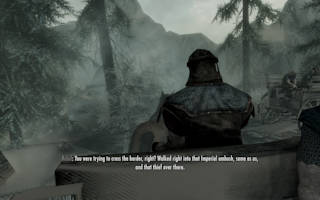
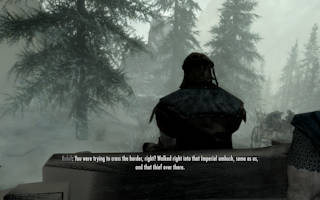
Umm, close, but not quite. The Z fighting on the shadows is especially jarring. Then I looked at the terminal output and saw a lot of messages from WineD3D, when I realized why the heck I'm not using DXVK. So I installed DXVK (if the install seems stuck, disable virtual desktop temporarily) and...
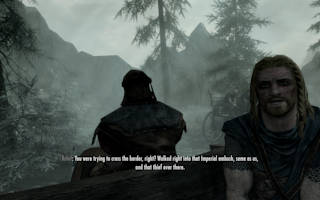
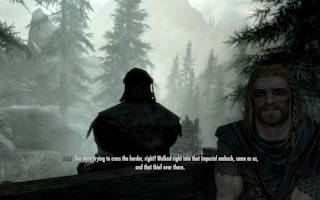
much better. Probably you should play at least until you get control of your character and can save, so you can quickly skip the intro while trying mods.
Warming up: getting SKSE#
If there's something which is a prerequisite of almost every mod, it's SKSE.
And it's a bit special, so it makes sense to start with this.
The mod has its own website, from the download section carefully select the version of Skyrim you have (2.
How do you check the version of Skyrim you have?
Good question.
Under Windows, you can probably just right click on the exe and select Properties, but under Linux?
Askubuntu.
exiftool -FileVersion SkyrimSE.exe
You need the version of Skyrim, not the launcher.
If you're using my mount.rb script, you should make a directory for the mod and mount it:
mkdir ovrlay/mod/skse
./mount.rb --no-save skse
What it does internally is creating a union mount of the base game in ovrlay/mount, then a ciopfs mount over it:
sudo mount -t overlay -o lowerdir=ovrlay/base,upperdir=ovrlay/mod/skse,workdir=ovrlay/idiotism nothing ovrlay/mount
ciopfs ovrlay/mount mount
And I don't want to go into a rant about the workdir parameter, but you need to specify a directory which is on the same FS as upperdir and you don't care about overlayfs fucking it all over the place, including making it so you can't delete it without root.
If you don't want root, you can use fuse-overlayfs instead, both works, but be consistent, they mark some metadata differently, so if you started with the kernel/
The effect of the above is that you end up with a copy of Skyrim under mount which is case sensitive, and any changes you make will be saved to ovrlay/mod/skse instead of ovrlay/base.
The real benefit here is you can stack multiple lower dirs (in case of kernel overlayfs you have to use lowerdir+=a,lowerdir+=b syntax in this case, while with the fuse version you use lowerdir=a:b), thus getting a base mod manager on the FS level, without having to manually copy/
No matter if you use my mount.rb, do it manually, or not do any FS magic at all and you just YOLO your Skyrim install, in the end you should end up with a directory which has your Skyrim install (mount if you use mount.rb, yes, I'm very good at naming things).
Open skse64_*.7z with the file manager of your choice, and copy Data, skse64_loader.exe, skse64_*.dll to your Skyrim install dir.
There should be already a Data directory there, so you should let your file manager merge the two directories.
And from now on, when you want to launch Skyrim, you shouldn't use the launcher, but skse64_loader.exe instead.
You should go and give it a try: wine skse64_loader.exe.
If you did everything right, Skyrim should launch just as before.
How do you know it worked?
The only effect I noticed is two new log files under $WINEPREFIX/drive_c/users/$USER/Documents/My Games/Skyrim Special Edition GOG/SKSE, skse64_loader.log and skse64.log.
If they exist and doesn't contain anything scary, SKSE probably works.
DLL dependency hell#
Modding Skyrim is pretty different to modding all the other games I've encountered so far. For most games, most mods are pretty self contained, sometimes you need some tool or mod loader to be able to use mods, but after the initial setup all you have to do is download and install the mods you need. But not here. Skyrim mods are more like a Linux packages. Your average mod depends on about 5 other mods, and each of those mods depends on a bunch of other mods, each having their own dependencies... it can get ugly very fast.
And getting those mods are not easy either.
Most mods are only available on nexus mods, which site, if you didn't encounter it yet, is probably the niggerest gorilla site in the known universe (and maybe even outside it).
Let's start with Address Library, one of the dependencies we will shortly install.
You open the site, click on files, select the file you want to download—not so fast goyim, register on our nigger website first.
Fuck you was my reaction, and I went to bugmenot.
If you're planning to use this piece of shit site extensively, you might bite the bullet and register using a more permanent mail, but I would never trust them with anything remotely personal. They will also annoy you to subscribe to get faster downloads and remove the 5 sec delay before download, people bitch about this on the internet, but I have a feeling they never had to deal with free upload sites where you have 60 second timeout and unsolvable recaptcha and one download per IP address to download a 10 GiB game split into 20 archives just because.
One other site which will come up frequently is loverslab, and it's the same, except it's completely banned from bugmenot.
One day I'll really have to start my bugmenot.
Address Library for SKSE Plugins#
After the above rant, time to get productive.
If you check The Trappings of Fate's description, the first dependency is Sexlab, and there's no link for it, but you can find it after some searching: SexLab.
It has a bunch of dependencies, SKSE we already have, then the address library (v11, 2026-02-14).
I've downloaded "All in one (1.mount.rb, you'll want something like this:
mkdir ovrlay/mod/address
./mount.rb --no-save skse address
I'm using both skse and address here, since this mod technically depends on SKSE.
The mount command will look like this:
sudo mount -t overlay -o lowerdir+=ovrlay/mod/skse,lowerdir+=ovrlay/base,upperdir=ovrlay/mod/address,workdir=ovrlay/idiotism nothing ovrlay/mount
Yes, you have to specify lowerdirs in reverse order, whichever you specify first will be at the top of the stack (only upperdir being above it).
In the 7z file, you find an SKSE directory, this needs to go into the Data directory of Skyrim.
Just unpack it and you're done.
SkyUI#
I'm going to skip over FNIS for now and jump straight onto SkyUI (v6.
mkdir ovrlay/mod/skyui
./mount.rb --no-save skse skyui
The 7z has two files, SkyUI_SE.bsa and SkyUI_SE.esp, both go into the Data dir.
If done, you might want to test it:
./mount.rb skse skyui
then you can start skse64_loader.exe.
The SkyUI documentation says as the last step of the manual installation you should "Open the Creations menu in-game and ensure SkyUI_SE.mount.rb you'll see it, but without it, it will be missing.
Some searching led me to a GOG forum topic, and the last post on the first page gave me the answer.
You'll need to look at $WINEPREFIX/drive_c/users/$USER/AppData/Local/Skyrim Special Edition GOG/Plugins.txt, it should look like this:
# This file is used by Skyrim to keep track of your downloaded content.
# Please do not modify this file.
SkyUI_SE.esp
It tells you to not modify this file, but I don't know how the hell you can enable a mod besides modifying this file.
Per the GOG forum post, you have to put an asterisk (*) before the mods you want to enable.
If you do it and restart Skyrim, the MCM in settings should show up.
Now editing this file manually is pretty annoying.
First it seems like just starting Skyrim is not enough to update it, it only updates when you start/mount.rb, which automatically finds all *.es[pm] not added by base Skyrim, and adds them to Plugins.txt as enabled.
This is somewhat similar to how I rewrote Track names for some Need for Speed versions.
FNIS#
The next victim is FNIS (v7.
mkdir ovrlay/mod/fnis
./mount.rb --no-save skse fnis
The first part of the install is easy, unpack the Data directory in each 7z into Skyrim's Data directory.
The second part is, less so.
You'll have to run Data/tools/GenerateFNIS_for_Users/GenerateFNISforUsers.exe, but not just now, but every time you install (or uninstall) a mod using FNIS.
This is not how I want to use my mod manager, so for the time being I'm not running the generator.
XP32#
Onto XP32 (v5.
mkdir ovrlay/mod/xp32
./mount.rb --no-save skse fnis xp32
Open the 7z, and unpack... wait, what the fucking hell is this mod file?! The documentation states "Use a Mod Manager with Fomod Support:" Thanks? I don't have a mod manager. And what the fuck is Fomod? Apparently this. Some XML based enterprise garbage. And besides, I'm not going to install a mod manager just for a fucking mod.
So here is how you install a Fomod mod manually.
First you get Fomod/ModuleConfig.xml from the archive.
In XP32's case it's UTF-16 for extra microshit abomination.
It's a 638 lines long crap, as verbose as an XML file can get.
At first I decided to try the Basic version of this mod, so the important part of the XML is this:
<plugin name="Basic">
<description>Basic installer
Installs a basic version of XPMS(S)E with full animation support.
Requires FNIS or Nemesis.</description>
<conditionFlags>
<flag name="Ext">Off</flag>
</conditionFlags>
<files>
<folder source="Skeleton Meshes" destination="" priority="0" />
<folder source="Creature Meshes" destination="" priority="0" />
<folder source="Skeleton Rig\HDT" destination="" priority="0" />
<folder source="Creature Rig\HDT" destination="" priority="0" />
<folder source="Character Creation\None" destination="" priority="0" />
</files>
<typeDescriptor>
<type name="Optional"/>
</typeDescriptor>
</plugin>
What it tells that you need to get the following folders: Skeleton Meshes, Creature Meshes, Skeleton Rig/HDT, Creature Rig/HDT, Character Creation/None, and copy their contents into Data (apparently destination="" means Data).
SexLab#
Finally we can move onto SexLab (v166b, 2024-03-14).
At this point we're getting a tad too many mods, so to try and make things a bit less chaotic, I've added preset/mount.rb.
Create a file lists/xp32 with the following content:
skse
fnis
xp32
What this means, if you run ./mount.rb xp32 it will be equivalent to running ./mount.rb skse fnis xp32 without lists.
Let's make a second list for SexLab (lists/sexlab):
skse
address
fnis
skyui
xp32
sexlab
Notice how it depends on xp32.
List inclusion is recursive!
Avoid circular dependencies...
Armed with this, we can get back to the usual drill:
mkdir ovrlay/mod/sexlab
./mount.rb --no-save sexlab
And unpack the 7z into Data (make sure you download the correct version!).
I wanted to test this mod before moving on, but this needs FNIS so it's not so simple. To avoid the FNIS generator polluting SexLab's mod dir, I created a new "mod":
mkdir ovrlay/mod/test
./mount.rb --no-save sexlab test
Then run Data/tools/GenerateFNIS_for_Users/GenerateFNISforUsers.exe.
Per SexLab's documentation check "SKELETON Arm Fix" under available patches then click on the big "Update FNIS Behavior" button.
Then SexLab's installer says "DO NOT ignore any warnings or errors you see in the FNIS window".
Well, I get one warning, "Warning: Generator not run from a legal (Steam) Skyrim installation directory. If you use SKSE, this can be fixed by starting Skyrim once through Steam."
Yes, dumbass, I use the GOG version, not the bloat Steam.
FNIS author is a fucking annoying moralfag, but at least I don't have to patch his idiot tool to work.
Having done this, you can run ./mount.rb sexlab test then start Skyrim normally, and load an old game.
Now, installing this can be a bit finicky.
After loading, wait until you see a MCM: Registered 1 new menu(s). message in the top left menu.
Then you can press Esc, System, Mod Configuration, then select SexLab, then see some ? warnings.
To fix them, exit the menu, and use your mouse's scroll wheel to switch into 3rd person view (before this I didn't even know Skyrim has 3rd person view), then try again.
If everything is OK, click on "INSTALL/
Time to pat yourself on the back, the first dependency is installed!
SexLab Aroused#
Download SexLab Aroused (v29 2.
mkdir ovrlay/mod/sexlab_aroused
./mount.rb --no-save sexlab sexlab_aroused
The next mod, Devious Devices has a bunch of new dependencies.
RaceMenu#
Download RaceMenu (v0.
mkdir ovrlay/mod/racemenu
./mount.rb --no-save skse racemenu
(Here I only include SKSE, since RacemMenu only requires SKSE.)
Try to run it, and it will just crash.
Fine.
Documentation says "If you are experiencing crashing on startup, you likely have a problem with another mod, please take those complaints elsewhere as this mod should not ever conflict."
Arrogance level 999.
The only other mod I have is SKSE which is a dependency.
Looking at the forum confirms RaceMenu mod is a buggy piece of this which doesn't even work on its own.
You had one job you literal retard idiot shithead.
Anyway, the solution is also there, install a fix.
I didn't make a separate mod for this in mount.rb, as RaceMenu is practically unusable without the fix, just copy both to the same mod.
The fix will overwrite a dll from the original RaceMenu mod, let it be.
(Don't try the OverlayFix mod mentioned in the fourth post, it doesn't work.)
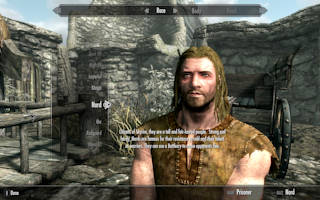
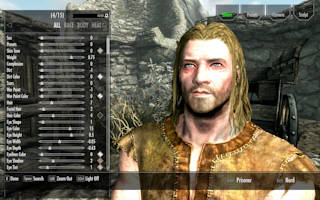
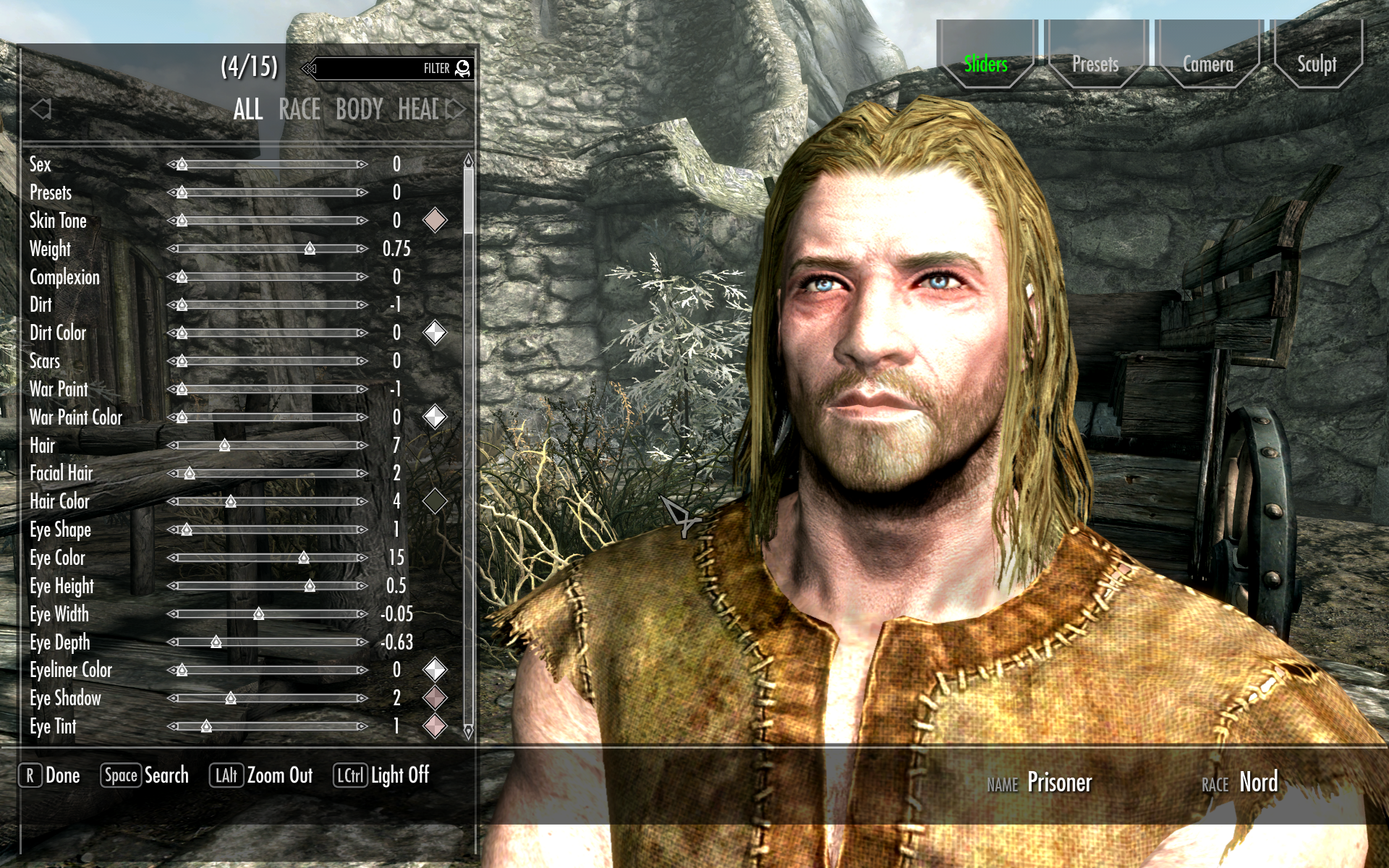
To check if it works, either start a new game and wait until you get to chose your character, or open console using backtick and type showracemenu.
The difference should be rather noticeable.
ConsoleUtil, PapyrusUtil, JContainers, Mfg Fix#
I'm skipping forward in DD's requirements again, to HDT, because CBBE will require it.
Or more exactly, HDT's dependencies, because there are a few.
ConsoleUtil (v1.consoleutil, papyrusutil, jcontainers, mfg_fix respectively.
HDT/FSMP#
The HDT mod which still works with AE is FSMP (v3.lists/fsmp):
skse
address
consoleutil
papyrusutil
jcontainers
fsmp
(Address is required for the util mods.) Then you can mount it easily.
mkdir ovrlay/mod/fsmp
./mount.rb --no-save fsmp
Installing is not easy, though, it's another Fomod garbage.
But it's also some garbage on which Linux unzip chokes (it throws "need PK compat. v6.
    <requiredInstallFiles>
        <file source="LICENSE" destination="LICENSE" />
        <file source="Readme.txt" destination="Readme.txt" />
        <file source="DynamicHDTOriginalWorkLicense.txt" destination="DynamicHDTOriginalWorkLicense.txt" />
        <folder source="Scripts" destination="Scripts" priority="1" />
        <folder source="SKSE" destination="SKSE" priority="1" />
        <folder source="Source" destination="Source" priority="1" />
    </requiredInstallFiles>
So you have to copy Scripts, SKSE and Source folders to Skyrim's Data folder unconditionally.
I thought sources are only needed if you want to develop mods, not for using.
Also the XML says you should copy the license files, you can of course do it.
Then you'll find some wall of text about what AVX is for people who don't know what grep avx /proc/cpuinfo is.
Then hidden in the garbage, another set of files you should copy:
                            <files>
                                <folder source="FSMPM\Scripts" destination="Scripts" priority="1" />
                                <folder source="FSMPM\SKSE" destination="SKSE" priority="1" />
                                <folder source="FSMPM\Source" destination="Source" priority="1" />
                                <folder source="FSMPM\interface" destination="interface" priority="1" />
                                <file source="FSMPM\FSMPM - The FSMP MCM.esp" destination=".\FSMPM - The FSMP MCM.esp" priority="1" />
                                <file source="FSMPV\hdtSMP64.xsd" destination="SKSE\Plugins\hdtSMP64.xsd" priority="1" />
                            </files>
So basically everything under FSMPM goes into the Data dir, and FSMPV/hdtSMP64.xsd (a single file) goes to Data/SKSE/Plugins.
Then at the very end of the file, the actual files for the AVX mess:
    <conditionalFileInstalls>
        <patterns>
            <pattern>
                <dependencies>
                    <flagDependency flag="NOAVX" value="On" />
                </dependencies>
                <files>
                    <folder source="raw-vs2022-windows\SKSE" destination="SKSE" priority="0" />
                </files>
            </pattern>
            <pattern>
                <dependencies>
                    <flagDependency flag="AVX" value="On" />
                </dependencies>
                <files>
                    <folder source="raw-vs2022-windows-avx\SKSE" destination="SKSE" priority="0" />
                </files>
            </pattern>
            <pattern>
                <dependencies>
                    <flagDependency flag="AVX2" value="On" />
                </dependencies>
                <files>
                    <folder source="raw-vs2022-windows-avx2\SKSE" destination="SKSE" priority="0" />
                </files>
            </pattern>
            <pattern>
                <dependencies>
                    <flagDependency flag="AVX512" value="On" />
                </dependencies>
                <files>
                    <folder source="raw-vs2022-windows-avx512\SKSE" destination="SKSE" priority="0" />
                </files>
            </pattern>
        </patterns>
    </conditionalFileInstalls>
But if you're too lazy, AVX-512 is generally only available or very new CPUs (unless you're using a server CPU), and can cause throttling which sometimes makes matters worse, so caveat emptor.
Fortunately my CPU doesn't support AVX-512, so I didn't have to think about this.
AVX2 should be available in any X86 CPU made in the last 10 years (unless it's a cheap intel Celeron/
BodySlide#
We're getting near the end!
The last big piece on DD's dep list are BodySlide and CBBE/
mkdir ovrlay/mod/bodyslide
./mount.rb --no-save bodyslide
This is a weird mod because it has a FOMod directory, but no ModuleConfig.xml.
But install is easy, just copy the CalienteTools directory to Skyrim's Data directory, and ignore Fomod.
(There's a Textures directory, but it's empty, and the manual install instructions don't mention it either.)
This mod is similar to FNIS as it's just an executable (Data/CalienteTools/BodySlide/BodySlide x64.exe) which you're supposed to run after installing all mods, so just leave things as is for now, and move along.
CBBE#
The last item in DD's deps, and the only one where you have any obvious choice.
CBBE (v2.
mkdir ovrlay/mod/cbbe
./mount.rb --no-save bodyslide cbbe
Under installation the manual says download the main file... but there are two main files!
But based on file contents and the rest of the description, the main file is not the outfits one, but the second ("Caliente's Beautiful Bodies Enhancer CBBE - v2.00 Required (Slim) to Data, and the rest is up to your tastes and lack of documentation.
Honestly you might want to refer to the images in the FOmod directory, Slim.jpg, Curvy.jpg and Vanilla.jpg to help you decide.
If you want curvy, copy over 01 Curvy too to Data (I didn't, flat is justice).
Ignore the NeverNude, we're here to play sex not morality police.
For the outfit, I think it's enough if you copy over just 09 Outfits BodySlide, DD requires BodySlide anyway.
FacePack's description in the XML says "Required if you don't use another CBBE compatible set of head and body textures already.", so you should copy that too.
11 Pubic Hair if you want pubic hair.
For the brows options, see files Thin\ +\ Trimmed\ Brows* Trimmed\ Brows* Bushier\ Brows*, I went with 13 Trimmed Brows (Light).
15 Dirt to Beauty Marks also looks like a good option.
Underwear options are probably only if you don't want nude people, so skip them.
You probably want the morphs too (all three dirs).
What about the rest of the files?
I'm not sure, I've unpacked also "CBBE AE-CC Outfits", "RoughSpun Tunic and Prisoner Bloody Fix" and "Normal Map Options - v1.
To test it, create a new list file (lists/cbbe):
xp32
fsmp
racemenu
bodyslide
cbbe
And mount it:
mkdir ovrlay/mod/test
./mount.rb --no-save cbbe test
Then you need to regenerate FNIS (Data/tools/GenerateFNIS_for_Users/GenerateFNISforUsers.exe) and Outfit Studio (Data/CalienteTools/BodySlide/BodySlide x64.exe).
Go to Skyrim Special edition in the list, browse to find the game (why the fuck can't it find the game when it's launched from the game's directory).
Despite what the app says, you have to chose Data dir inside the game install dir, not the game install dir.
If you chose Skyrim's directory, it will appear to work, but it will generate output files in the wrong directory.
Quality software.
Anyway, when finished click chose game.
And dunno, the wiki doesn't say much about BodySlide, and I don't watch jewtube videos of retards trying to explain in 30 hours what can be done in 5 sentences.
So what I did here was to chose a Preset, check Build Morphs, then click Batch Build, and rebuild everything.
"The following sets will override the same files"
Uh oh.
Can't I just ignore this?
Turns out not, as I figured out from an arrogant idiot's forum posts who were trying really hard to push the poor guy asking questions into watching a useless video again.
What you have to do here is type "physics" into the search box, and hit enter.
This will select all the physics mod/
Then run Skyrim. It shouldn't crash. If you remove your outfit, you should be naked. Morph and expression options in RaceMenu should work correctly. If it is, congrats!
Try (and fail) to get Devious Devices running#
Now you should have all the mods installed required by Devious Devices (v5.
Open Animation Replacer and deps#
Get Animation Queue Fix (v1.lists/open_animation_replacer):
skse
address
animation_queue_fix
paired_animation_improvements
open_animation_replacer
While here also install Papyrus Tweaks NG (v4.papyrus_tweaks_ng).
Dynamic Armor Variants (v1.Data and SkyrimSE from the archive.
HiddenEquipment and UIExtensions_Menu require other mods which I can't be bothered to install.
CBPC#
CBPC (v1.
                            <files>
                                <file source="00 Data\CBPCSystem.ini" destination="SKSE\Plugins\CBPCSystem.ini" priority="0" />
                                <file source="00 Data\Scripts\CBPCPluginScript.pex" destination="Scripts\CBPCPluginScript.pex" priority="0" />
                                <file source="00 Data\Scripts\Source\CBPCPluginScript.psc" destination="Scripts\Source\CBPCPluginScript.psc" priority="0" />
                                <file source="00 Data\CBPCPlayerCollisionEventConfig.txt" destination="SKSE\Plugins\CBPCPlayerCollisionEventConfig.txt" priority="0" />
                                <file source="00 Data\CBPCBounceinterpolationconfig_Test.txt" destination="SKSE\Plugins\CBPCBounceinterpolationconfig_Test.txt" priority="0" />
                                <file source="00 Data\CBPCCollisioninterpolationconfig_Test.txt" destination="SKSE\Plugins\CBPCCollisioninterpolationconfig_Test.txt" priority="0" />
                            </files>
I think copying 00 Data/Scripts to Data and CBPCSystem.ini, CBPCPlayerCollisionEventConfig.txt, CBPCBounceinterpolationconfig_Test.txt, CBPCCollisioninterpolationconfig_Test.txt to Data/SKSE/Plugins is OK.
Then GOG stuff:
                            <files>
                                <file source="00 Data\GOG 1.6.1179\cbp.dll" destination="SKSE\Plugins\cbp.dll" priority="0" />
                                <file source="00 Data\GOG 1.6.1179\cbp.pdb" destination="SKSE\Plugins\cbp.pdb" priority="0" />
                                <file source="00 Data\cbpc.log" destination="SKSE\Plugins\cbpc.log" priority="0" />
                                <file source="00 Data\CBPCMasterConfig.txt" destination="SKSE\Plugins\CBPCMasterConfig.txt" priority="0" />
                                <file source="00 Data\CBPCollisionConfig_Yuriana.txt" destination="SKSE\Plugins\CBPCollisionConfig_Yuriana.txt" priority="0" />
                            </files>
Then comes the "Select Your Body Shape", where I'm not completely sure what I have to do. I went with "CBBE Fetish" because that's what I tried to use.
                            <files>
                                <file source="00 Data\CBBE Fetish\SKSE\Plugins\CBPCollisionConfig.txt" destination="SKSE\Plugins\CBPCollisionConfig.txt" priority="0" />
                            </files>
For bounce config, description says "Choose whichever if you are using 3BA or BHUNP.", so I just went with level 5 (00 Data/Bounce5) and default amplitudes (00 Data/amplitude1).
I really starting to feel these people are using a very wrong tool for a task.
I skipped gravity, I don't want saggy breasts.
Check if things still work:
rm -rf ovrlay/mod/test
mkdir ovrlay/mod/test
./mount.rb --no-save cbbe cbpc test
Run FNIS, BodySlide, then Skyrim. I don't know what to look for, but it probably shouldn't crash.
CBBE 3BA#
I hope you didn't drown in the alphabet soup yet, the next mod is CBBE 3BA (v2.lists/cbbe_3ba):
cbbe
cbpc
papyrusutil
cbbe_3ba
It's Fomod again, and be prepared, and it's massive.
Start with 00 Base/CalienteTools, and I don't think you need anything else from the "CBBE 3BBB Advanced Main" step.
For "Base CBPC", you'll need 10 Physics Patch/11 Type B, 10 Physics Patch/00 CBPC Base, 10 Physics Patch/75 CBPC Separation (this looks like a hard dependency).
For CBPC ini, I went with Balanced (10 Physics Patch/05 CBPCSystem02).
For "Physics Selecting" I went with the recommended Lite: 10 Physics Patch/01 SMP Base, 20 Compatible/00 with MCM/23 Physics - Lite
"CBPC Physics Preset Type" new: 10 Physics Patch/75 CBPC Separation/SKSE/Plugins/CBPConfig_BBP.txt, but wait, I already copied this over?
Carry on...
Boob Preset?
I went with elastic and medium jiggle: 10 Physics Patch/91 CBPC Very High Elasticity, 10 Physics Patch/91 CBPC Very High Elasticity - AntiGravity (plus it sets a bunch of flags).
Small collision box: 10 Physics Patch/82 CBPC Collision B-B
I've added gravity: 10 Physics Patch/94 CBPC BBP - Gravity, but no more gravity: 10 Physics Patch/97 CBPC NoMoreGravity, pushup: 10 Physics Patch/94 CBPC PushUp.
For "(CBPC-NewType) Belly, Butt, Leg Physics Preset" I went with elastic big jiggle, probably the easiest is to copy over 10 Physics Patch/77 CBPC M - BBL and 10 Physics Patch/78 CBPC BBL - Normal to get all 3 at once.
For "(SMP) Player Physics Preset", I went with Option2, Ccup.
I skipped SOS since I don't have that mod.
No vagina stuff: 10 Physics Patch/86 CBPC NoVagina, and no anal: 10 Physics Patch/87 CBPC NoAnal.
For pussy texture I went with the default: 30 Vagina Texture/00 base - 2K, 30 Vagina Texture/11 pink - 2K.
Who the fuck needs a 4K pussy texture?...
I skipped the bronze shine fix, I dunno what it is.
No compatibility patches, I don't use any of those mods.
But I added RaceMenu support: 15 RaceMenuMorphs/00 RaceMenuMorphs - CBBE.
Then the massive conditionalFileInstalls at the end of the list.
I went with Lite and Option2, so 10 Physics Patch/62 3BCA SMP and CBPC Lite - 2 it is.
Lite, Option2, Ccup: 10 Physics Patch/33 Ccup SMP and CBPC Lite - 2.
Elas, Gravity: 10 Physics Patch/91 CBPC Very High Elasticity - Gravity.
BreastPhysicsHighC, BreastPhysicsLowC: 10 Physics Patch\81 CBPC Breast C-C.
I hope I didn't miss anything...
To test, make a test mod as usual, and mount, run FNIS and BodySlide. For the latter follow the tutorial, click on the frying pan under filter groups, chose groups, 3BBB, Build Morphs, Batch Build and rebuild. I'm not sure if you should rebuild the normal CBBE stuff or not...
Devious Devices again#
So make a list (lists/dd):
sexlab
sexlab_aroused
cbbe
cbbe_3ba
mfg_fix
open_animation_replacer
papyrus_tweaks_ng
dynamic_armor_variants
dd
Then mount it with --no-save, and we can try installing it.
Start with the original DD, also Fomod, but this is easier.
You need 00 Base, ignore the DLLs (they're incompatible and would be overwritten by DD NG anyway).
"Body Support": CBBE, so set BS to 2 -> 01 CBBE.
For animation I went with the defaults: AO 0, HSA 0 -> no extra files to install.
I don't have DD for him or beasts.
Support files are not really needed, but I'll copy the source just in case -> 90 Source Scripts.
Then onto NG, which has a similar structure.
00 Base is mandatory, animation questions are essentially the same.
All the rest is optional patches.
I think we're done here!
One last bit from the readme, you should delete Devious Devices SE patch.esp.
Make a test mod again, start BodySlide, DD Framework 3BA group, select (HDT) for conflicts, batch build, and wait a long time (it was 10 minutes for me).
Then do the same for DDNG 3BA (for something like 12 minutes).
Or at least this is what the readme said.
I recommend you also rebuilding 3BBA with the same preset to prevent clipping issues.
Then FNIS as usual.
Trying this mod I noticed RaceMenu is not working.
Looks like you have to load SkyUI before RaceMenu.
mount.rb has a very ad-hoc workaround for this.
DD readme says start a new game to use DD, but for a quick test and old savegame will do to.
Load it, install SexLab, save and reload, you should receive a message about DD loaded.
But how do you test it works?
In the end I used Simple Mod Item Spawner (v1.
Fuz Ro D-oh#
Fuz Ro D-oh (v2.fuz_ro_doh.
The Trappings of Fate#
Finally, the reason I started the whole adventure!
The Trappings of Fate (v2.lists/the_trappings_of_fate):
dd
fuz_ro_doh
the_trappings_of_fate
Unpack the 7z file into Data, this is a simple mod.
You can get the AI voices too if you want it.
I made a new mod (the_trappings_of_fate_gen) so I can put the generated files there, and ran FNIS and BodySlide like above.
Remount it without --no-save, start Skyrim... and it crashes.
Start it again, it works.
I dunno why it crashed first time.
But now what? The mod says, "You'll be handed a Letter of Thanks by the courier after travel to any location after you've reached level 9." Thanks, but I rather not grind myself to level 9 in this boring game. And I should probably start from a fresh game to prevent problems, but I don't want to go through the intro part again. Doing it once was already 1 time more than I wanted it. The answer is?
More mods, of course#
First one is an alternate start mod.
There are a bunch of them, I have no idea which is the best, there's a leddit thread about it.
Skyrim Unbound (v3.
Unbound is another massive fomod crap, but I think it's enough if you copy just main and SkyUILib over.
Everything else seems to be random mod fixes/
For leveling up, I tried Immersive Cheat Menu (v2.
If you're done, you can try it.
./mount.rb the_trappings_of_fate the_trappings_of_fate_gen unbound immersive_cheat_menu
Start new game, make a character to your liking. Then hit escape, from MCM install SexLab, and wait until it's done. Save and reload to get Devious Devices. Then you can go into Unbound settings, I set Dragonborn to yes (as it's the more vanilla Skyrim setting) and went to start location, and under Towns I selected Dragon Bridge. Why? Because the first task in the quest is to go to Dragon Bridge. If asked about survival mode, disable it.
Then you can open Cheat Menu, under "Set Player Level" select "# to set to", set it to 10. Then click on the "Accept" button in cheat menu (you need to select accept twice, once when entering 10, then in the cheat menu again!). Having done this enter any building and leave, the courier should show up in a few seconds and hand you the letter to start the mod's quest. Walk to the bar, talk with the innkeeper, drink the wine, and wake up like this~ (Yes, it's very dark.)

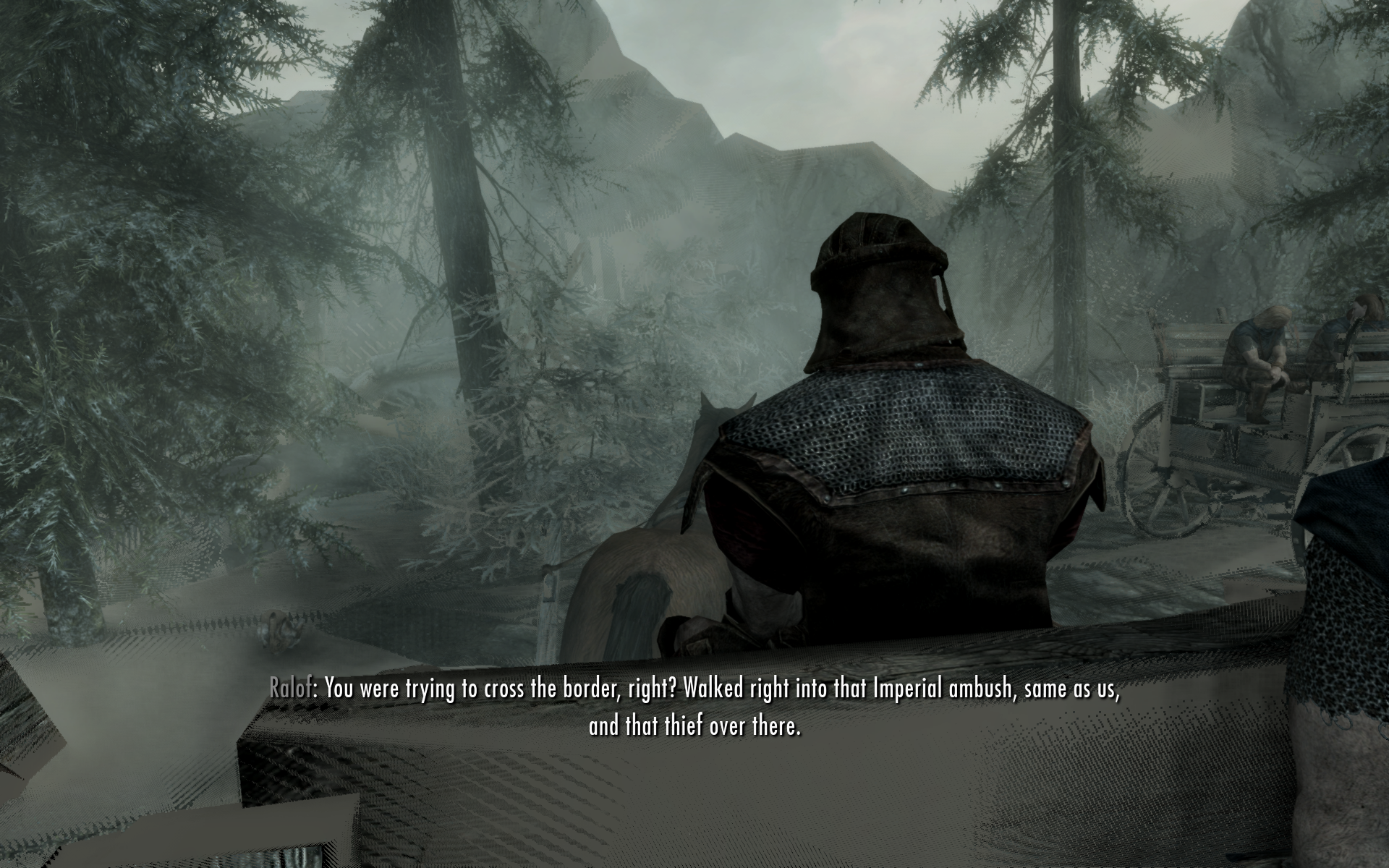
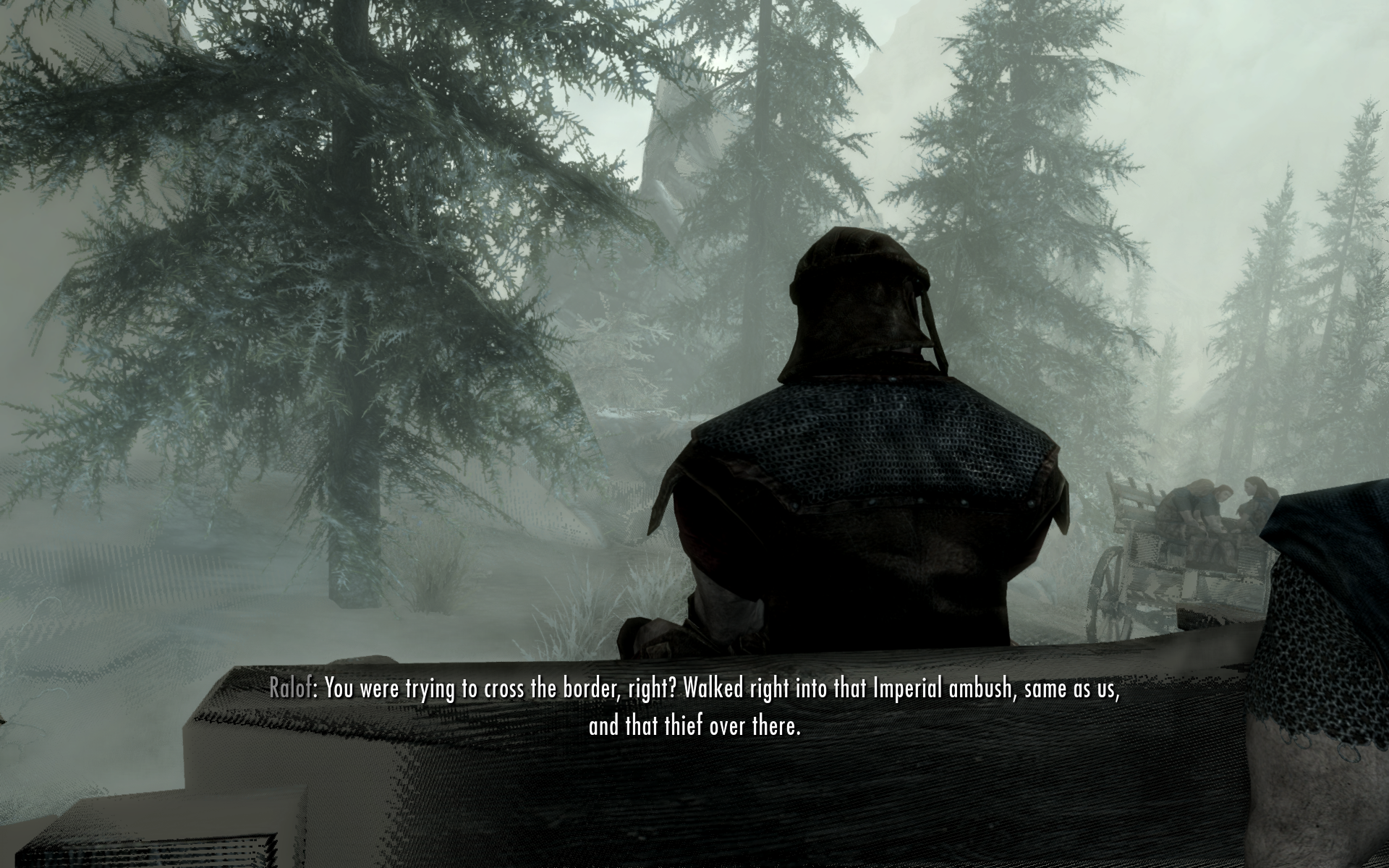
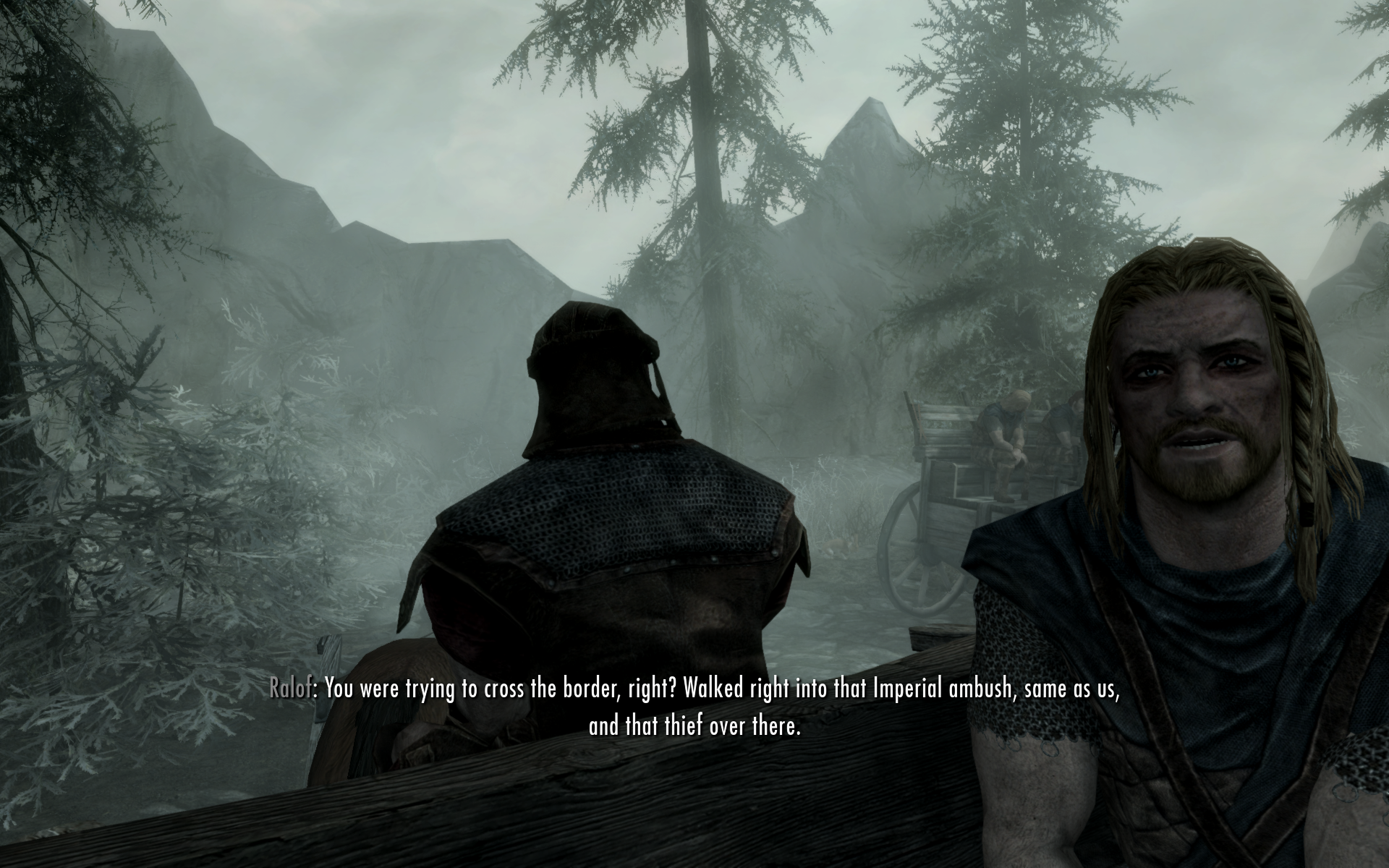
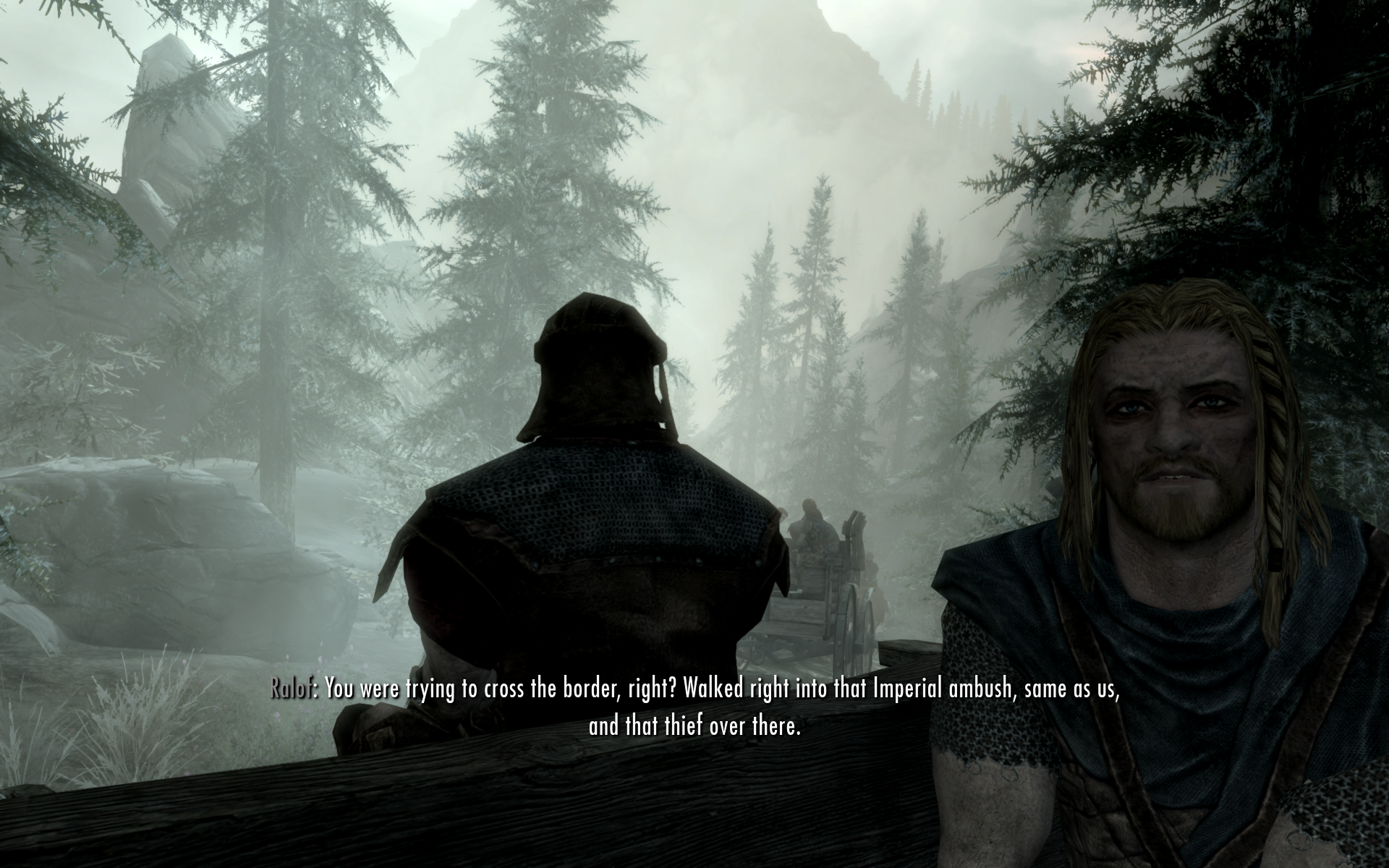
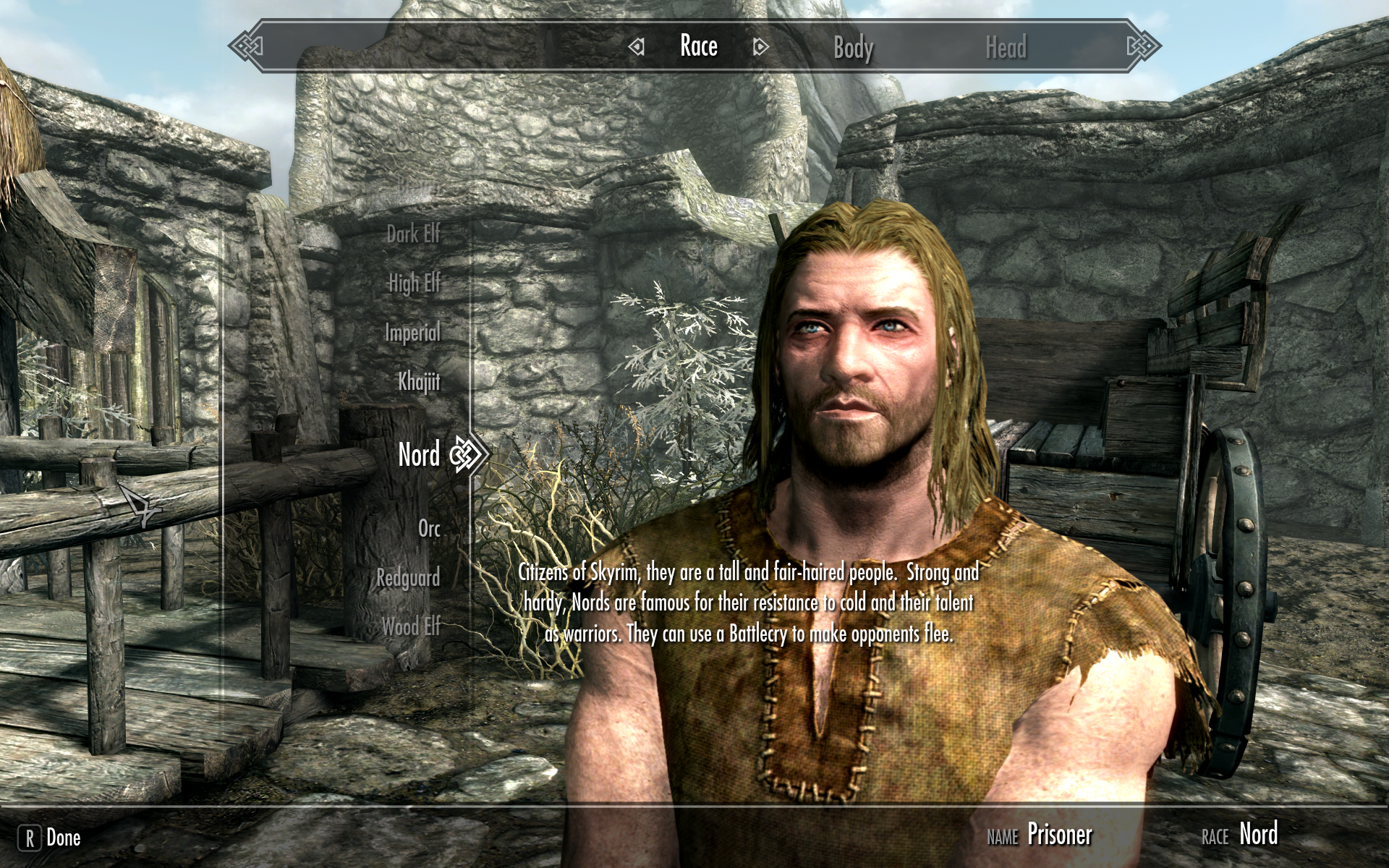
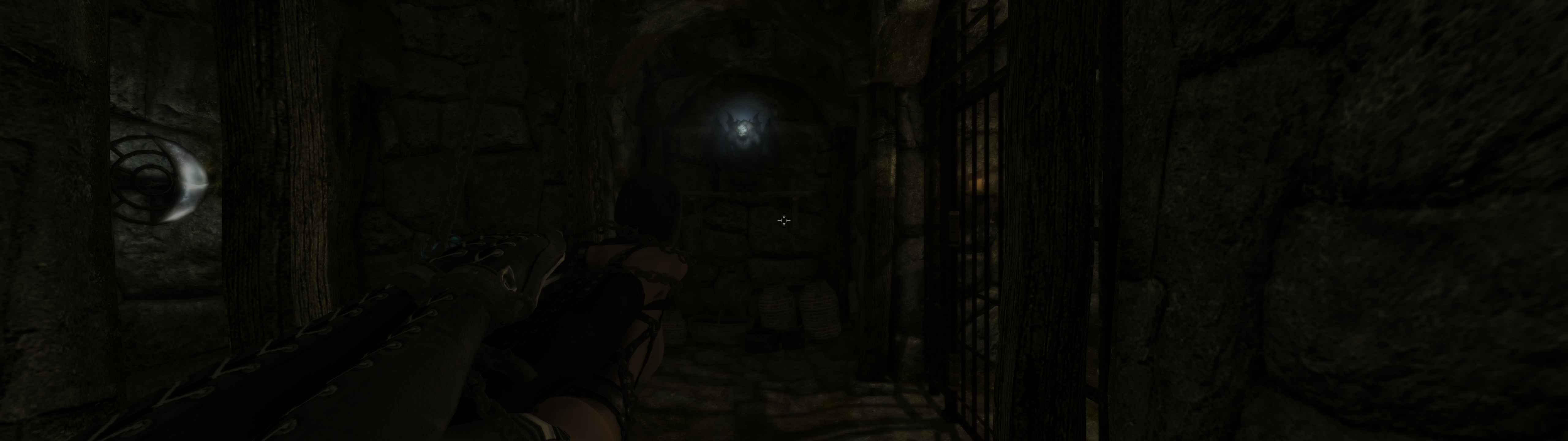
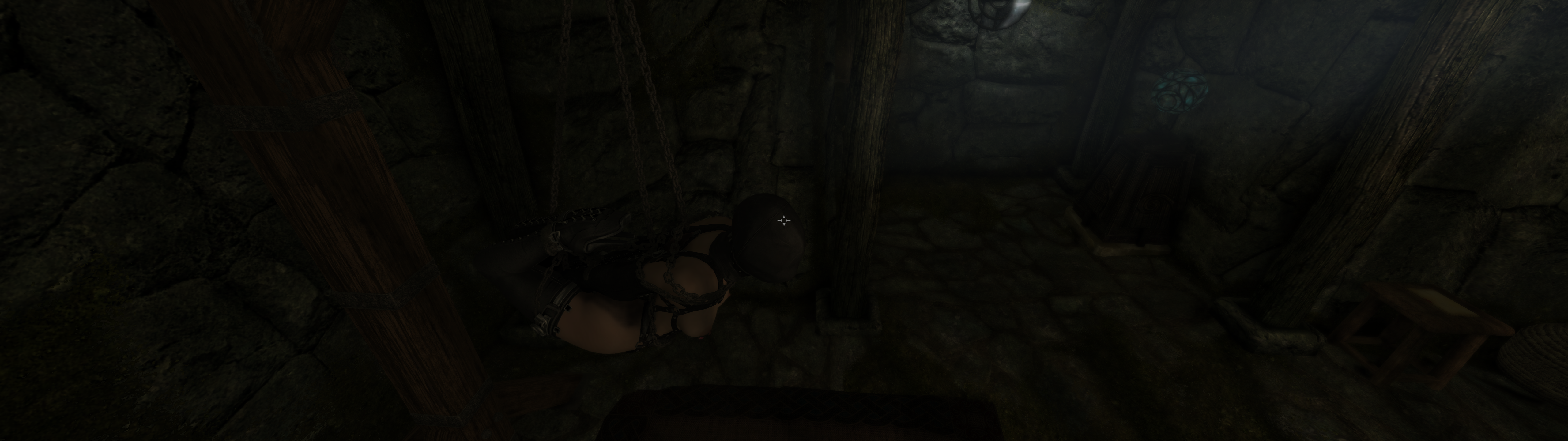
I don't want to spoil too much of the mod (and I haven't even finished it yet), so I just have a few very generic suggestions. If something was not usable in the past, doesn't mean after a point it won't be. Some pixel hunting involved.
If you can't seem to start the second quest of mod (The Gordian Bind): the mod is a bit gay and unlike in the first quest, you don't receive immediately the quest name in the journal. If you receive a letter from a courier about killing some bandit leader and returning the loot for some reward, that's it.
Future/conclusion#
One problem I have with this setup is when I start Skyrim, I get wine's virtual screen, and nothing happens for a minute or so.
Looking at htop I see ciopfs using 100% CPU.
SO I'll have to either figure out how to use this without ciopfs (wine should handle it, just have to make sure it never creates a file with capital letters somehow), or improve the performance of ciopfs (for example by using FUSE Passthrough).
The second thing I should look into is the Fomod crap. Yes, I installed Fomod mods manually, but it's another PITA. There's a mod manager which works on Linux, ModSanity. But 1) calling something written in Rust sanity is total derangement; 2) it's another bloated mod manager, all I need is to copy the files with the correct settings to a dir, I can handle the rest; 3) its Fomod support is so buggy it's useless. So I'll likely have to write my minimal Fomod "installer" in Ruby to piss off as many people as possible.
Files#
| File | Description | Size |
|---|---|---|
| mount.rb | My mod not manager | 2.136 KiB |
| start.sh | Sample script to launch Skyrim. Adjust the paths inside. | 461 bytes |
| Total | 2.586 KiB |